

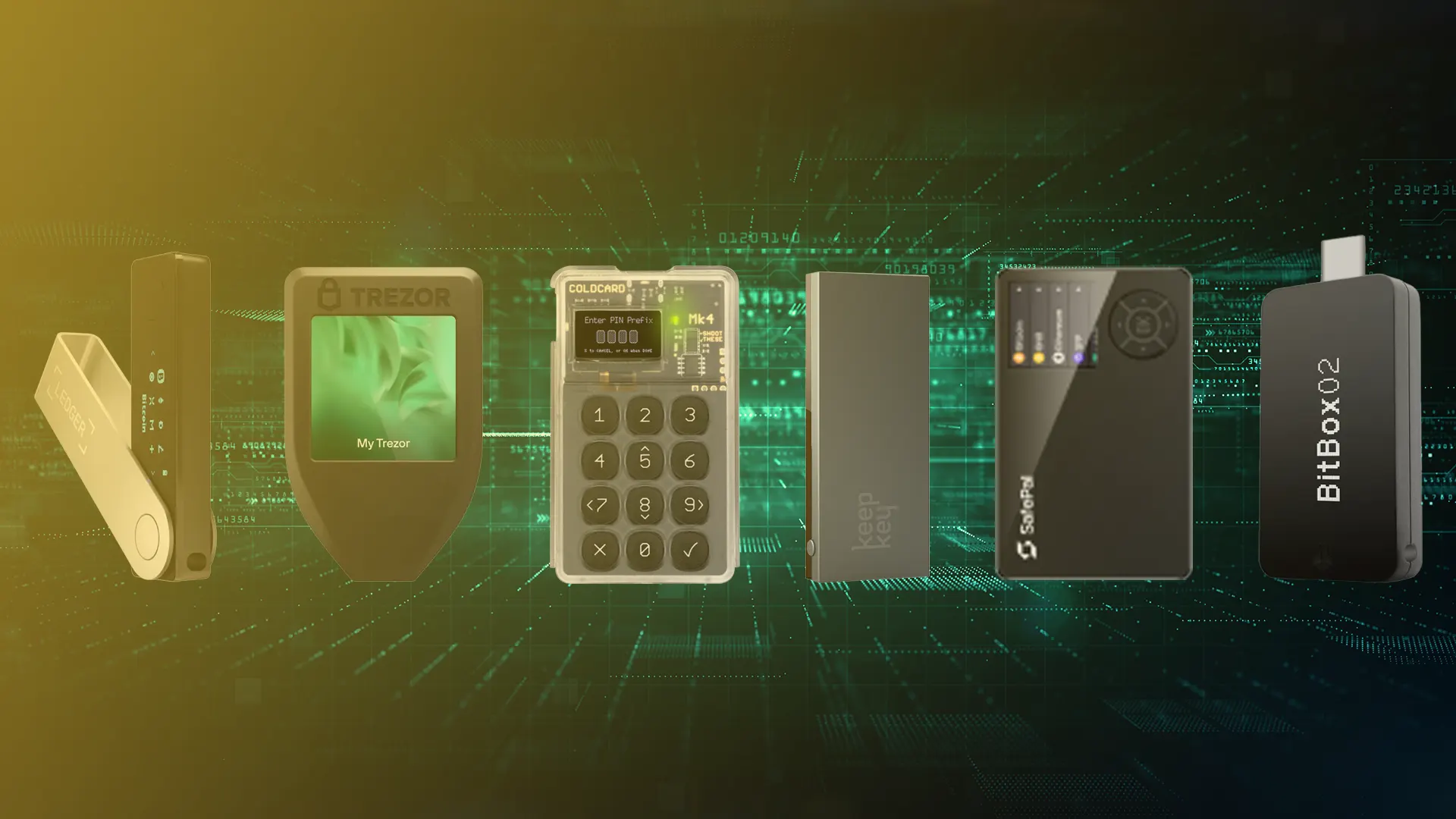
If you own cryptocurrency or are considering it, one of the first questions you’ll face is: Where should I store it? While software wallets and exchanges offer convenience, they also come with risks like hacks, phishing, and platform failures. That’s why hardware wallets have become a go-to for serious holders who want security without compromise.
A crypto hardware wallet is a physical device that stores your private keys offline, making it nearly impossible for hackers to remotely access your funds. This cold storage method is widely regarded as the gold standard for security in the cryptocurrency world for long-term holders.
We’ve created this crypto hardware wallet guide for beginners who want to secure their digital assets with confidence. Whether you’re holding Bitcoin, Ethereum, or any other cryptocurrency, you’ll learn how to choose the right hardware wallet for your needs.
How Crypto Hardware Wallets Work?
Crypto hardware wallets provide highly secure storage for digital assets, protecting them from online threats such as malware, phishing, and remote hacking attempts.
Here’s how they work, step by step:
Private Key Generation and Storage
When you set up a crypto hardware wallet, it generates a pair of cryptographic keys: a public key (used to receive crypto) and a private key (used to authorise transactions).
- These keys are created inside the device, not on your computer or phone.
- The private key never leaves the hardware wallet, which means it’s never exposed to the internet or your connected devices.
Transaction Signing
To send crypto, you’ll typically connect your hardware wallet to a computer or smartphone and use a wallet interface.
- You input the transaction (e.g., sending Bitcoin to another address) on your computer.
- The transaction details are sent to the hardware wallet.
- The wallet signs the transaction inside the device, using your private key.
- The signed transaction is then sent back to your computer and broadcast to the blockchain.
This way, your private key stays protected even if your computer is compromised.
PIN Protection and Recovery Seed
Crypto hardware wallets provide an extra layer of protection, requiring a PIN code to access the device.
- If someone steals the wallet, they can’t use it without the PIN.
- During setup, you’re also given a recovery seed phrase (usually 12 or 24 words), which serves as the backup for your wallet.
- If the device is lost, damaged, or stolen, you can restore access to your funds using this seed phrase on a new compatible wallet.
How to Choose the Right Crypto Hardware Wallet
Choosing the right crypto hardware wallet is the first and most important step in securing your digital assets for the long term.
How to Choose the Right Crypto Hardware Wallet
- Step 1: Choosing your Hardware Wallet
- Step 2: Unbox and Inspect Your Device
- Step 3: Set Up Your Hardware Wallet
- Step 4: Back Up Your Recovery Phrase
- Step 5: Transfer Crypto to Your Hardware Wallet
- Step 6: Manage Your Crypto Securely
Step 1: Choosing your Hardware Wallet
Here are the main factors to consider:
- Supported Cryptocurrencies
Verify that the wallet you’re considering is compatible with the specific cryptocurrencies you intend to store. Some wallets are versatile and support thousands of coins and tokens across multiple networks, while others are limited to just a few.
Look for wallets that include features such as Secure Element chips to store private keys securely. Verify that the firmware is open source, as this adds a layer of transparency. Additional protections, such as passphrase options or support for multi-signature setups, can offer even more security.
If you’re just starting out, choosing a wallet with a simple, beginner-friendly interface can make a huge difference. Go for one that offers a guided setup, straightforward instructions, and responsive customer support to help you get started without hassle.
Always consider the reputation of the crypto hardware wallet provider within the crypto community. Look at user reviews, check for any third-party audits, and investigate any past security issues.
Step 2: Unbox and Inspect Your Device
Security starts the moment you receive your hardware wallet. Always take these precautions:
- Buy Only from Official Sources
To ensure your crypto hardware wallet hasn’t been tampered with, always buy directly from the manufacturer’s website or an authorised reseller. Marketplaces like Amazon or eBay may offer convenience or discounts.
- Verify the Device’s Authenticity
Once your wallet arrives, check its authenticity before using it. Look for tamper-evident seals or secure packaging that hasn’t been broken. Some manufacturers include a serial number or security hologram you can verify on their official website.
If anything about the device seems off, such as damaged packaging, scratches, or signs it may have been opened, don’t plug it in or use it. Contact the manufacturer to report the issue. Most companies will offer a refund or replacement if there are signs of tampering.
Step 3: Set Up Your Hardware Wallet
Now that your device is verified, it’s time to get started with the setup process:
- Connect and Install Official Software
Plug in your device via USB or Bluetooth, depending on the model (such as the Ledger Nano X). Download and install the official companion app for your device:
- Ledger Live for Ledger devices
- Trezor Suite for Trezor devices
- Keystone App for Keystone wallets
Follow the setup steps on your device and app to generate a new crypto hardware wallet. Your device will generate a new private key that remains securely stored within the wallet.
- Set and Confirm Your PIN Code
Choose a strong PIN to prevent unauthorised access to your device. You’ll need to enter this PIN each time you unlock the wallet. If you forget the PIN, you can restore access with your recovery phrase.
Step 4: Back Up Your Recovery Phrase
The recovery phrase (seed phrase) is a sequence of 12 to 24 words that represents the master key to your cryptocurrency wallet. If you lose access to your hardware wallet or it’s damaged, this phrase is your only way to restore your wallet and assets to a new device.
Write down your recovery phrase by hand using high-quality paper. Avoid using any digital formats such as photos, screenshots, or storing it online.
- Consider Steel Backup for Durability
For greater security and long-term protection, consider using a metal backup, like a steel plate, to engrave or etch your recovery phrase. Metal is resistant to damage from fire, water, or time, unlike paper.
- Store in Multiple Secure, Offline Locations
Keep your written or engraved backup in at least two secure offline locations, such as a safe deposit box or a locked home safe. This helps protect against theft, fire, or natural disasters.
Your recovery phrase should always remain private. Never share it with anyone, not even close friends or family, since anyone with access to it could potentially steal your crypto assets.
Step 5: Transfer Crypto to Your Hardware Wallet
Once your crypto hardware wallet is set up, open the companion app and navigate to the Receive tab. Select the cryptocurrency you want to transfer, like Bitcoin or Ethereum, and generate your receiving address.
Go to the exchange or wallet where your funds are currently stored and select the ‘Send’ or ‘Withdraw’ option. Paste the receiving address generated by your hardware wallet. Your wallet will display the receiving address on its screen. Always confirm that this address matches the one shown in the app or on the exchange.
Step 6: Manage Your Crypto Securely
After storing your crypto on your hardware wallet, you can manage your assets securely through the official wallet app or companion software. You can check your balances and transaction history at any time.
- Approving Transactions Manually on the Device
Whenever you initiate a transaction, such as sending funds, you’ll need to approve it on the hardware wallet manually. This manual step ensures that only authorised transactions are processed and provides strong protection against remote hacking attempts.
- Keeping Firmware and Companion App Up to Date
Keep your hardware wallet’s firmware and its companion app regularly updated to benefit from the latest security enhancements and bug fixes. Always follow the update instructions provided by the wallet manufacturer’s official website or app to ensure your device remains secure.
- Avoiding Phishing Attacks and Fake Wallet Apps
Stay alert to phishing threats by always verifying website URLs and downloading wallet apps only from trusted, official sources. Never enter your recovery phrase or wallet credentials on unverified websites or applications, as phishing scams are designed to steal your sensitive information.
Extra Tips for Long-Term Safety
To keep your crypto assets secure for the long haul, here are some advanced but highly effective practices you should consider:
Don’t Connect Your Device to Untrusted Computers
Avoid plugging your hardware wallet into public or unfamiliar computers, such as those in internet cafés or shared workspaces. These machines may be infected with malware or keyloggers designed to interfere with wallet apps or trick you into authorising malicious transactions.
Consider Setting Up a Decoy Wallet
Some crypto hardware wallets allow you to create a hidden or decoy wallet using a separate passphrase. This wallet can appear empty or contain only a small amount of crypto. If you’re ever coerced into opening your wallet, you can show the decoy wallet while keeping your real assets hidden. However, it requires technical expertise and should be used with caution.
Regularly Review Security Practices and Wallet Updates
To keep your cryptocurrency secure, stay up to date with the latest firmware versions, wallet software updates, and recommended security best practices. Follow official sources for important announcements about vulnerabilities or new features.
At least once a year, review your backup seed phrase and passphrase, verify your backup storage locations, check your device’s firmware version, and ensure your companion app is up to date.
Disclaimer: This article is intended solely for informational purposes and should not be considered trading or investment advice. Nothing herein should be construed as financial, legal, or tax advice. Trading or investing in cryptocurrencies carries a considerable risk of financial loss. Always conduct due diligence.
If you would like to read more articles like this, visit DeFi Planet and follow us on Twitter, LinkedIn, Facebook, Instagram, and CoinMarketCap Community.
Take control of your crypto portfolio with MARKETS PRO, DeFi Planet’s suite of analytics tools.”